


Fast and flexible campaign creation.
Why Promotexter Email?
You’re not just sending emails, you’re building experiences. Our platform helps you craft responsive, branded messages that stand out in crowded inboxes and deliver measurable results.

Easy to Use: Drag-and-drop editing lets anyone build professional emails in minutes – no design or coding skills needed.
Customizable: Stay on-brand with custom fonts, layouts, and reusable templates.
Mobile-Optimized: Every email automatically adapts for phones, tablets, and desktops.
Analytics That Matter: Track sends, opens, clicks, bounces, conversion rates and campaign costs.


What’s New:
Email Attachments Now Available
Send more than just messages. Deliver complete, content-rich emails with built-in attachment support.
Easy upload
Drag and drop files directly into your campaign.

Multiple attachments
Include more than one file in a single send.
Flexible file types
Support for documents, images, videos, and more.

Optimized delivery
Send up to 1mb for smooth, reliable sending.

Built-in analytics
Track performance and engagement in your dashboard.

Secure by design
URL safelisting ensures attachments are only retrieved from approved sources.
Make every email more informative, engaging, and secure.
Email Design Features
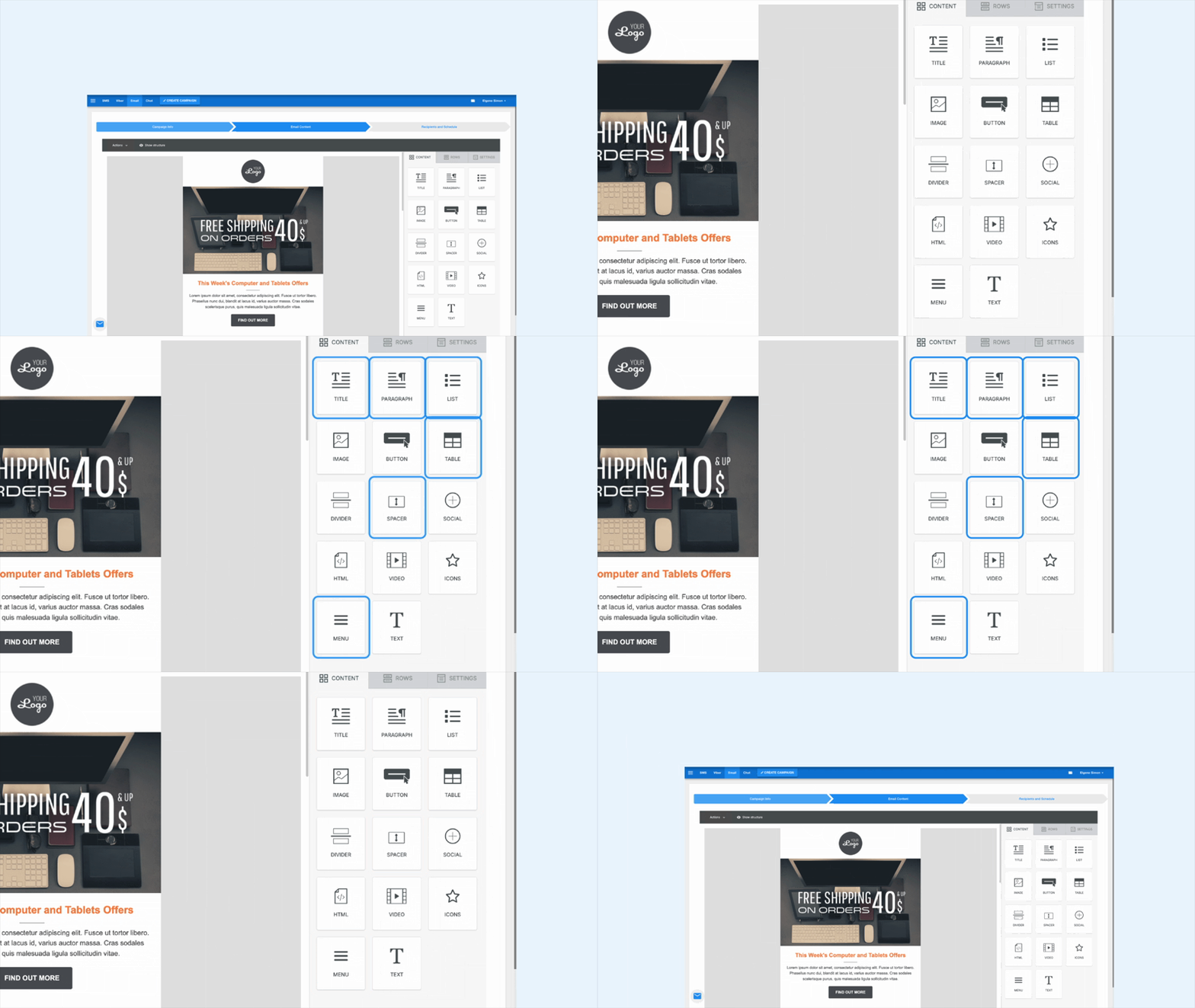
We’ve upgraded the email builder with enhancements, giving you more control and flexibility:
- Menu Block: Add navigation menus with clickable links for cleaner, more structured layouts.
- Title Block: Insert bold, modern headings to highlight key sections.
- Spacer Block: Control whitespace for better readability and layout balance.
- List Block: Use ordered or unordered lists to present information clearly.
- Paragraph Block: Format clean, readable text for updates, stories, or explanations.
- Emoji Picker for Text: Add emojis to enhance tone, personality, and engagement.
- Table Block: Present structured data directly inside your email – pricing tables, schedules, comparisons, and more.
- Rounded Image Corners: Give images a softer, modern look with adjustable rounded corners.
- Button Hover Effects: Make CTAs more clickable with subtle hover animations.
Use Cases
Promotexter Email is perfect for:


Transactional & triggered emails

Promotional mailers

Event campaigns

Product announcements

